Amazon keyword ranks without manual searching: position, page, and 7-day trend
AMZTarget checks where your ASIN ranks for every phrase, 1 to 24 times a day. It counts variations, tells “not indexed” apart from “deep in results”, and shows ranks next to price and BSR.
- Free plan, no card
- No Seller Central access
- Telegram and email alerts
Manual rank checks mislead more often than you think
Amazon results depend on location, device, stock, and variations. A one-off search gives you a number, not the picture.
The blind window
You logged the rank on Monday and Friday. Wednesday is a mystery: the keyword may have left page one an hour after a title edit.
A number without context
Is it a random jump, the start of a slide, or the product climbing from #70? Without daily and weekly change you can’t tell.
False alarms from variations
Amazon often shows another color or size from your family in search. Checking one exact ASIN concludes the product is gone.
What you see for every phrase
Not just “#27”, but enough context to decide: act now, or it’s normal search movement.
A rank counts when any child of your family shows up
Keep “Variations from listing” on when you add an ASIN — AMZTarget pulls the child ASINs itself. If search shows another color or size for a phrase, you don’t lose the rank. Variations don’t use product slots.
- B0C7XK2M4Q · Black 32 oz
- B0C7XK9P1L · Blue 40 oz
- B0C7XKQ7RT · White 24 oz
Flip the switch — this is how variation matching works during a check.
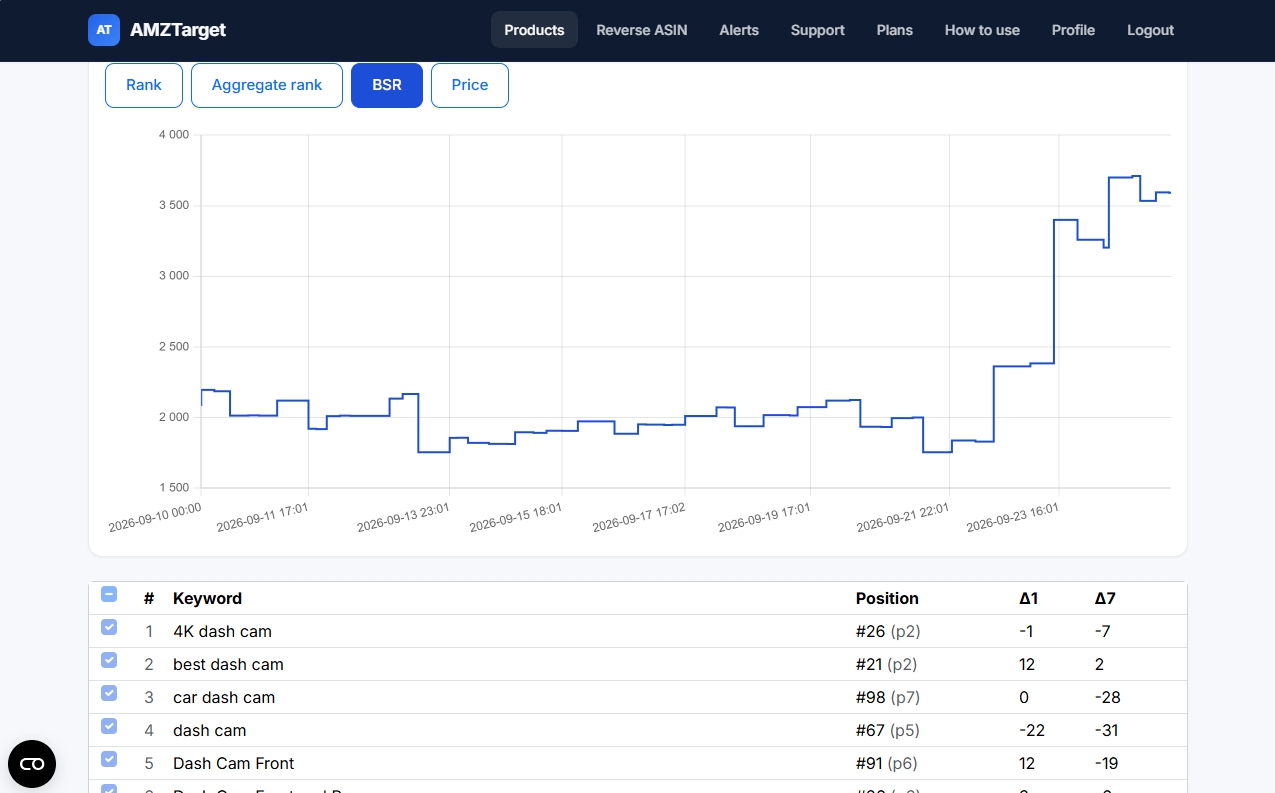
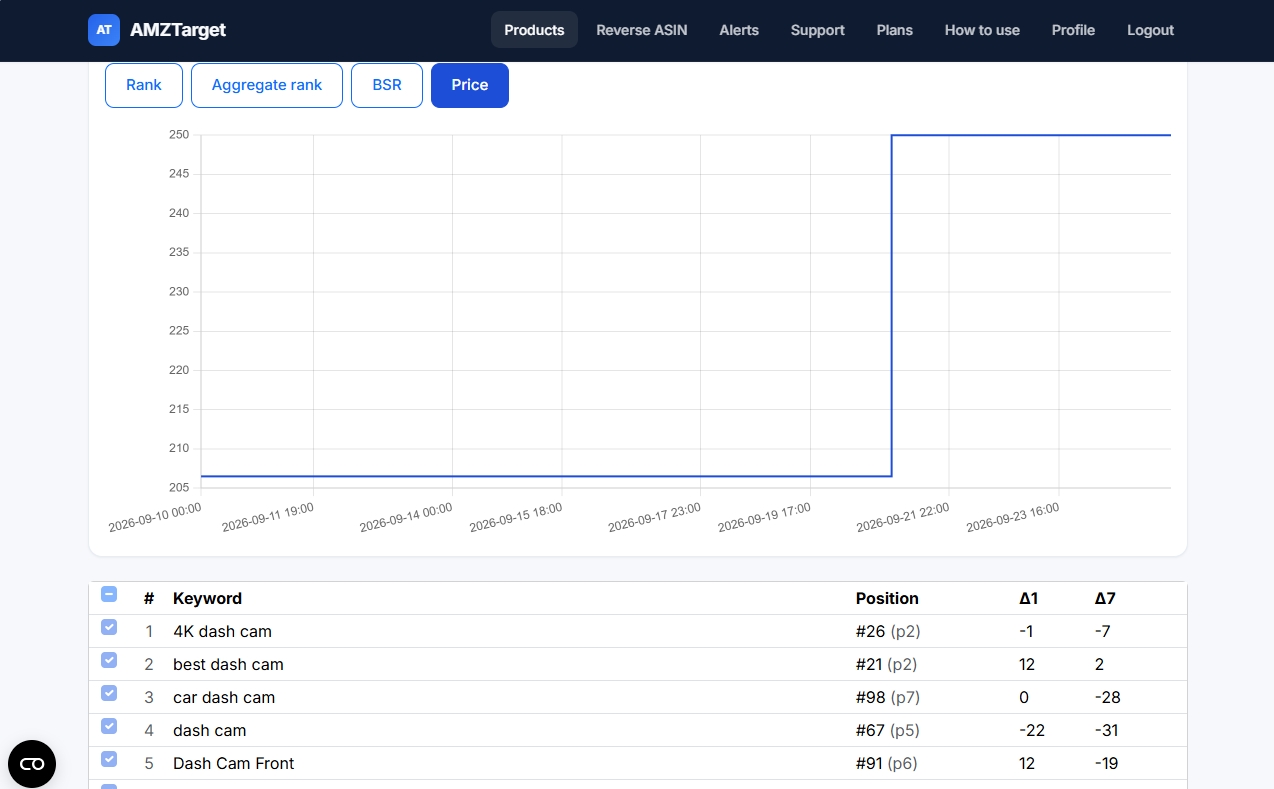
Ranks, price, and BSR on one timeline
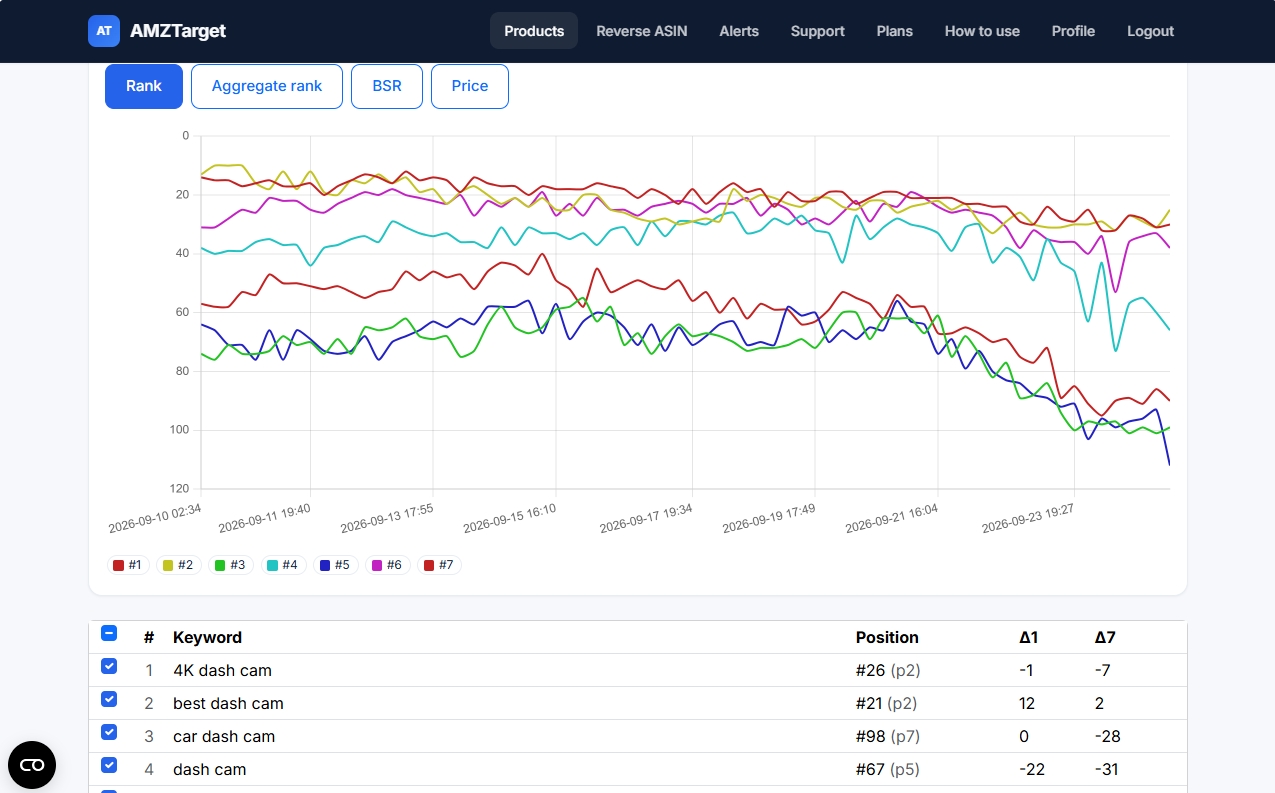
Changed the price three days ago? The chart shows how it affected ranking and BSR. Star your main keywords and they are selected on the chart by default.
Position, page, and trend
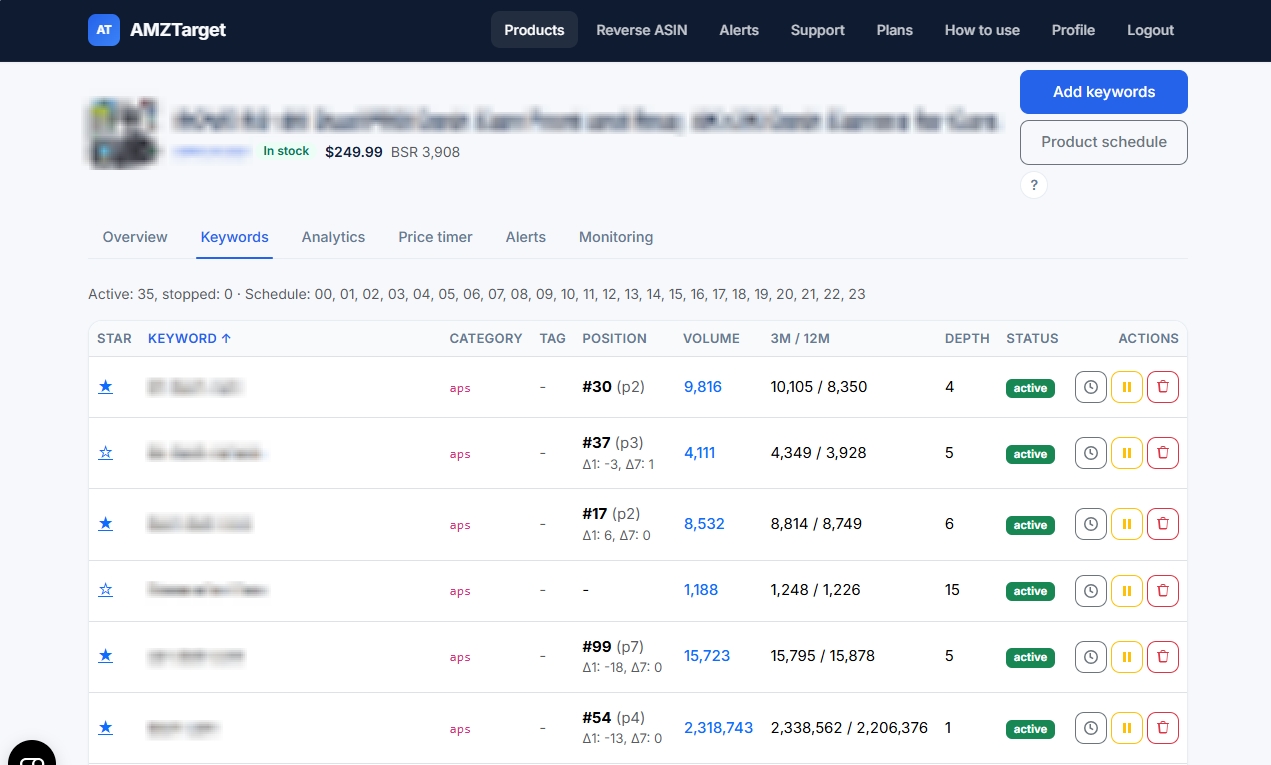
#27 (p2) with Δ1 and Δ7 next to it. You see at once whether it fell off page one or moved within it.
Demand for every phrase
Volume, 3- and 12-month averages, and Amazon suggest Depth: which keywords earn a slot and which are a seasonal tail.
Clear indexing status
“Not in search index” (Amazon has no results for the phrase) and a dash (not found on the first pages) are different statuses. No guessing.
Keywords from Reverse ASIN
Break down your listing or a competitor’s, select phrases, and click Track — volume is already loaded.
How long is your blind window?
Pick how often ranks are checked and enter the ASIN’s revenue. See how long a drop can go unnoticed.
This is the upper bound: a change can happen right after a check. More checks mean a shorter window. You can set a higher frequency just for your main keywords.
What it looks like in the app
Real AMZTarget screens with product names blurred. Click a screenshot to enlarge it.
Up and running in 5 minutes
No integrations and no Seller Central exports — just an ASIN and a couple of settings.
-
1
Add an ASIN
Pick the marketplace, paste the ASIN, and keep “Variations from listing” on.
-
2
Add 5 keywords
By hand or from Reverse ASIN: the main query, an attribute, a use case, your brand, and a test phrase.
-
3
Set the schedule
The first 14 days on Free get up to 12 checks a day. Check main keywords more often, the long tail once a day.
Honest limits
So what you expect matches what you will see in the app.
- Checks run on a schedule, not continuously: at 6 checks a day a rank change shows up within about 4 hours.
- You follow rank movement in the keyword table (Δ1/Δ7) and on charts. Telegram and email alerts fire on listing events: Buy Box, sellers, price, availability, content.
- A dash means there was no check yet or the product was not found on the first results pages. “Not in search index” is a separate status.
- No Seller Central needed: the tracker uses public Amazon results for any ASIN — yours or a competitor’s.
What else is in AMZTarget
One app, one plan: the tools below work together and are included in the subscription.
Plans: keywords and check frequency
For rank tracking, two limits matter — how many keywords you track and how many times a day they are checked. Both are highlighted in every plan.
Free
- 1 product
- 5 keywords
- 1 check/day (12/day first 14 days)
- 1 reverse ASIN/day
- No repricer
- Review alerts from Starter
- 1 Telegram channel
Starter
- 20 products
- 200 keywords
- Up to 6 checks/day
- 10 reverse ASIN/day
- Schedule repricer
- Review monitoring
- 20 Telegram channels
Growth
- 60 products
- 600 keywords
- Up to 12 checks/day
- 20 reverse ASIN/day
- Schedule + competitor repricer
- Review monitoring
- 60 Telegram channels
- 3 team seats
Pro
- 150 products
- 2000 keywords
- Up to 24 checks/day
- 50 reverse ASIN/day
- Schedule + competitor repricer
- Review monitoring
- 150 Telegram channels
- 10 team seats
Prices in USD. Paid plans are billed by Paddle.com (Merchant of Record). Cancel anytime in your account. 14-day refund rights: see Refund Policy.
Payments are processed securely by Paddle. Refunds
Frequently asked questions
Further reading
Put one ASIN on tracking today
In a week you will have rank history for your five main keywords — and a clear view of where the product is heading.
Free: 1 product, 5 keywords, 14 days at up to 12 checks a day. No credit card.