Keywords from any Amazon listing — with search volume, in one run
Enter your ASIN or a competitor’s. AMZTarget reads the title and bullets, expands them with Amazon search suggestions, and loads monthly volume, the 3- and 12-month trend, and suggest depth for each phrase.
- Free plan, no card
- No Seller Central access
- Telegram and email alerts
Keyword research by hand takes an evening per listing
Typing phrases into the Amazon search bar, copying suggestions, and checking volume one by one doesn’t scale past a couple of ASINs.
Manual suggestion mining
Every seed word in the search bar gives a dozen suggestions. Combining two words multiplies the list — and you still need volume for each.
Phrases that don’t fit the product
Half of the suggestions are about something else: another material, size, or audience. Tracking them wastes keyword slots.
Long tail with no demand
Without volume and a trend you can’t tell a real query from one nobody searches — or a seasonal one that fades next month.
Where the keywords come from
Four steps run automatically after you enter an ASIN. You get the list, sorted by search volume.
-
1
Listing text
We open the product page on the chosen marketplace and take the title and “About this item” bullets.
-
2
Keyword ideas
AI suggests search phrases and seed words based on that text.
-
3
Amazon suggestions
Seed words and their pairs go to Amazon search suggestions. We keep phrases that match words from your listing.
-
4
Volume and sorting
Each phrase gets monthly volume, 3m/12m averages, and depth. Phrases with zero volume are dropped.
Pick keywords — send them to tracking
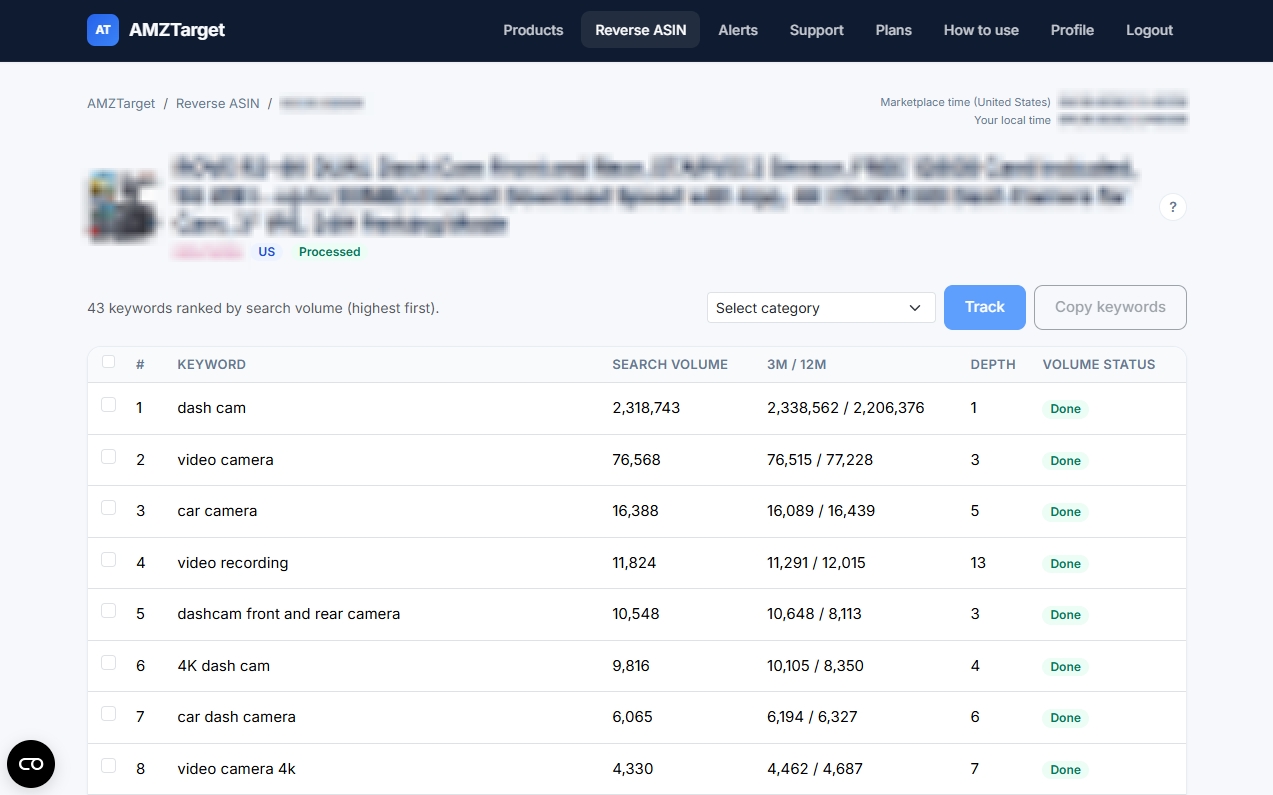
In the results you tick phrases and click Track: the product and keywords are created for you, volume is already loaded. Try it on this example.
Example data. Copy keywords puts the selected phrases on the clipboard, one per line.
Your listing and a competitor’s
Reverse ASIN works for any public ASIN. The task is different, the tool is the same.
Check what your listing is really about
- See which high-volume phrases your title and bullets already cover.
- Find phrases with demand that the text doesn’t mention yet.
- Send the main ones to tracking and watch ranks after each edit.
Learn the language of a rival listing
- See which queries their title and bullets are built around.
- Spot phrases they cover and you don’t.
- Track your own ASIN on those phrases to see whether you rank there at all.
Trend 3m / 12m
If the 3-month average is clearly above the 12-month one, demand is growing; if below, it is falling or seasonal.
Suggest depth
How soon the phrase appears in Amazon’s search-bar suggestions. A smaller number means a more familiar query.
Notified when done
Analysis runs in the background. Turn on “Notify when analysis is complete” and get a link by email or Telegram.
Volume reused in tracking
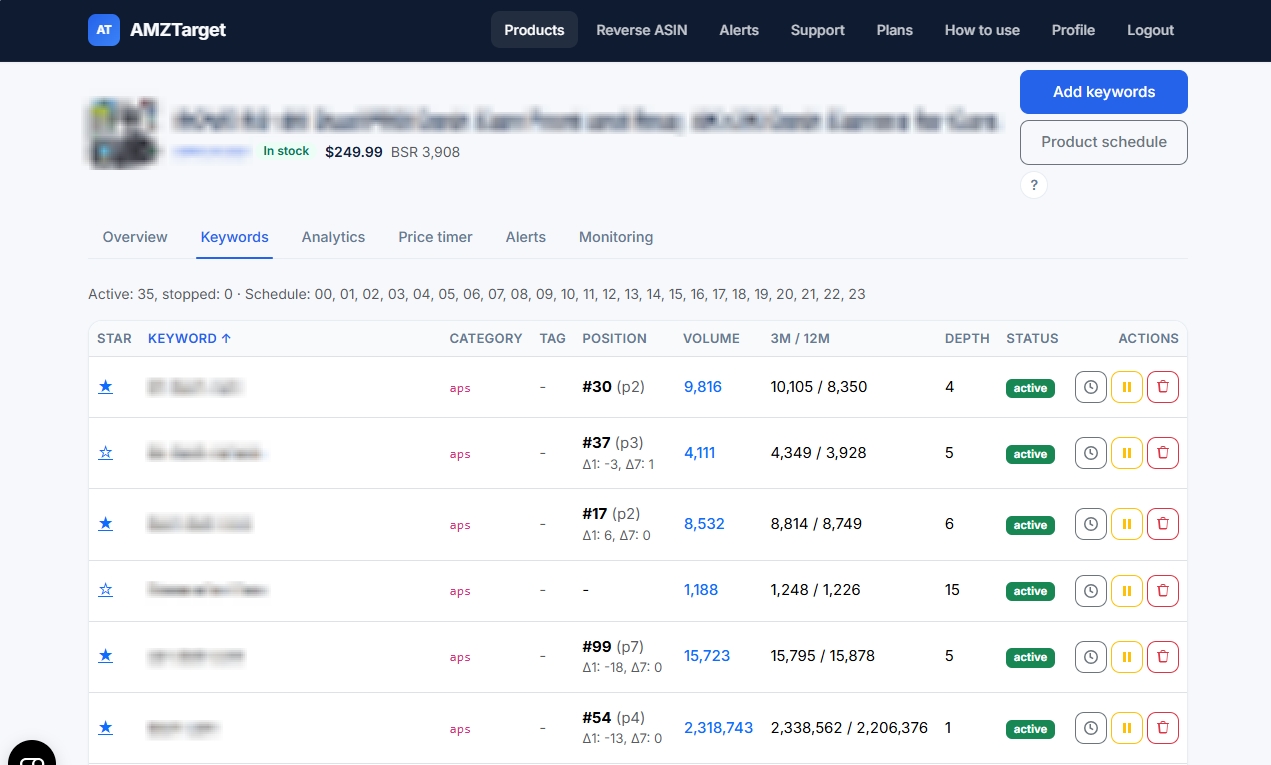
Phrases you send to tracking arrive with volume already loaded — no waiting on the Keywords tab.
What it looks like in the app
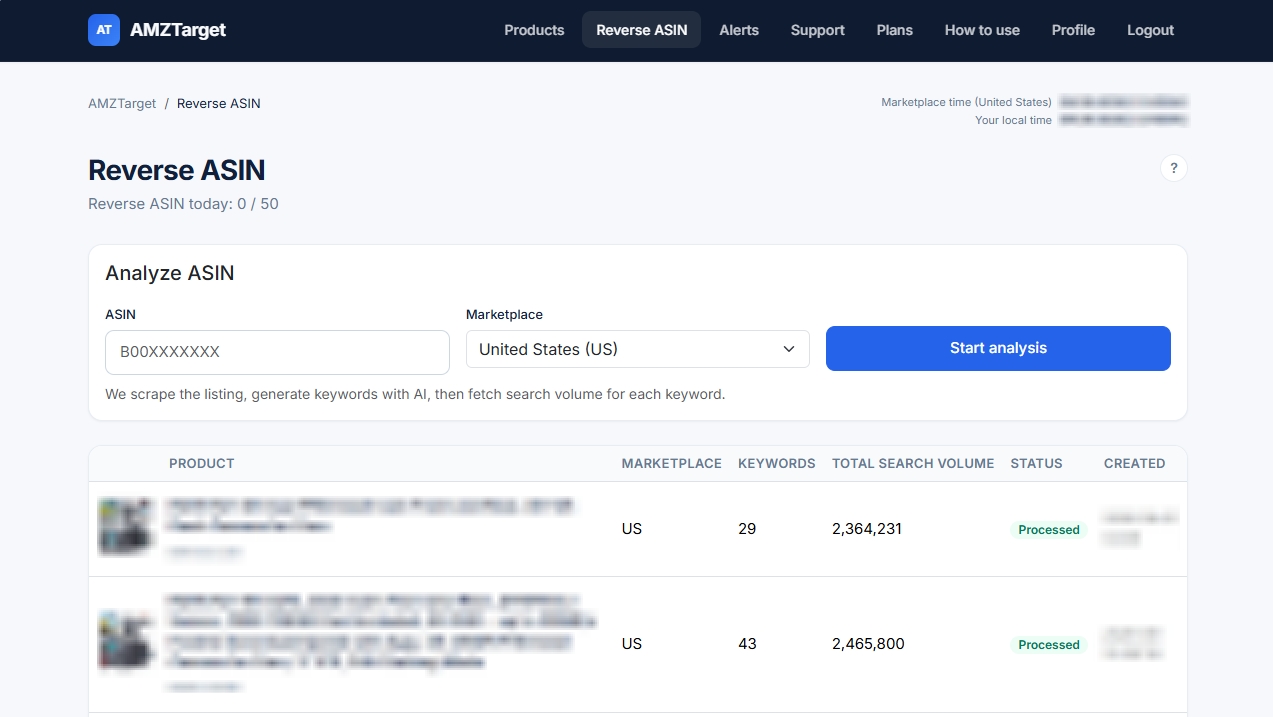
Real AMZTarget screens with product names blurred. Click a screenshot to enlarge it.
Up and running in 5 minutes
No integrations and no Seller Central exports — just an ASIN and a couple of settings.
-
1
Enter an ASIN
Your own or a competitor’s, plus the marketplace where the listing lives.
-
2
Wait for the list
The status turns to Processed; volume loads phrase by phrase. We can notify you when everything is ready.
-
3
Track the best phrases
Tick keywords, pick a search category, and click Track — or copy them to the clipboard.
Honest limits
So what you expect matches what you will see in the app.
- The list is built from the listing text and Amazon search suggestions. It is not the competitor’s ad or backend keyword data.
- Search volume is an estimate from a third-party data provider, not an Amazon figure.
- Runs per day depend on the plan: Free 1, Starter 10, Growth 20, Pro 50. A retry after an error doesn’t use another run.
- Results can be copied to the clipboard or sent to tracking; there is no CSV export yet.
What else is in AMZTarget
One app, one plan: the tools below work together and are included in the subscription.
Plans: Reverse ASIN runs and keywords
Two limits matter here — how many listings you can analyze per day and how many keywords you can then track. Both are highlighted in every plan.
Free
- 1 product
- 5 keywords
- 1 check/day (12/day first 14 days)
- 1 reverse ASIN/day
- No repricer
- Review alerts from Starter
- 1 Telegram channel
Starter
- 20 products
- 200 keywords
- Up to 6 checks/day
- 10 reverse ASIN/day
- Schedule repricer
- Review monitoring
- 20 Telegram channels
Growth
- 60 products
- 600 keywords
- Up to 12 checks/day
- 20 reverse ASIN/day
- Schedule + competitor repricer
- Review monitoring
- 60 Telegram channels
- 3 team seats
Pro
- 150 products
- 2000 keywords
- Up to 24 checks/day
- 50 reverse ASIN/day
- Schedule + competitor repricer
- Review monitoring
- 150 Telegram channels
- 10 team seats
Prices in USD. Paid plans are billed by Paddle.com (Merchant of Record). Cancel anytime in your account. 14-day refund rights: see Refund Policy.
Payments are processed securely by Paddle. Refunds
Frequently asked questions
Further reading
Break down one listing today
Start with your best seller or the competitor you keep losing to. Five phrases are enough for a first rank test.
Free: 1 product, 5 keywords, 14 days at up to 12 checks a day. No credit card.