Amazon Listing Hijacked? How to Detect, Confirm, Remove and Prevent Hijackers
Your sales are down, the listing looks the same, and nobody at Amazon sent you a message. One common cause: another seller has added an offer to your ASIN and is now winning the Buy Box. Some of these offers are legitimate resellers. Some are counterfeits or "same listing, different product". Either way, the cost depends on how long it takes you to notice.
This guide covers how to recognise a hijacker, how to check whether the offer is actually a violation, which reporting routes Amazon offers, and how to set up monitoring so the next one doesn't run for a whole weekend before you see it.
What "listing hijacking" means on Amazon
On Amazon, many sellers can sell the same product on one product detail page (one ASIN). That is by design. "Hijacking" is the informal name sellers use when someone joins your listing with an offer that shouldn't be there, for example:
- Counterfeit or knock-off units sold under your brand's ASIN.
- A different or lower-quality product offered as if it matched your listing.
- Unauthorized resellers of genuine product. This is often not a policy violation in itself, but it can still break your pricing or distribution agreements.
- Detail-page changes that make the listing describe something else: a new title, swapped main image, edited bullets.
The distinction matters because Amazon acts on policy and IP violations, not on competition. Amazon's Anti-Counterfeiting Policy states that products offered for sale must be authentic and that sellers are responsible for sourcing, selling and fulfilling only authentic products. A genuine unit sold by a reseller you didn't authorise is a commercial problem, not automatically a policy one.
Why hijackers hurt even when you still "have" the listing
The damage comes through the Featured Offer, which sellers still call the Buy Box. Amazon describes it as the area at the top of the product page with Add to Cart and Buy Now, where it shows the most competitive offers (Amazon: Featured Offer). Amazon says it selects the Featured Offer using criteria such as competitive pricing, delivery speed and performance, and that being considered doesn't guarantee being featured (Seller Forums announcement, 2026).
If a new offer undercuts you, it can take the Featured Offer, and most shoppers buy from whoever holds it. You keep the listing, but most of the orders now go to the other seller. Two more consequences:
- If the units are bad, the reviews land on your listing, not on the hijacker's account.
- A price war you didn't start can reset what shoppers expect to pay for your product.
How to tell your listing has been hijacked
There is no single "you've been hijacked" notification from Amazon. You have to look for the symptoms.
Signs on the product page
- The seller name under Add to Cart isn't yours. Check "Ships from" and "Sold by".
- "Other sellers on Amazon" (or "See all buying options") shows more offers than yesterday.
- The lowest price dropped with no promotion on your side.
- The title, main image or bullets changed and you didn't edit them.
- The page shows "Currently unavailable" or a 404, which can be suppression or a detail-page problem rather than a hijacker.
Signs in your numbers
- Sessions stay roughly flat while units ordered fall. Traffic still reaches the listing, but the sales go to someone else's offer.
- Your Featured Offer percentage in Business Reports drops (if you have Seller Central access).
- New negative reviews mention packaging, quality or "fake", and describe things you don't recognise.
Check from the shopper's location
What a shopper sees depends on their delivery location. If you check your US listing from abroad or without a US delivery address, you can see different offers, prices and a different Featured Offer winner. Set a delivery ZIP code in the target marketplace before judging what's on the page.
Step-by-step: what to do when a new seller appears
Don't panic and don't start a price war in the first ten minutes. Work through this order.
1. Capture evidence immediately
- Screenshot the product page and the full offer list, with the date and time visible.
- Record the seller name and the seller ID from their storefront URL.
- Note the offer price, condition, and fulfilment method (FBA or merchant-fulfilled).
Offers can disappear and reappear, so evidence collected now is what you'll rely on later.
2. Check whether the seller is actually unauthorised
- Compare against your list of distributors and wholesale customers.
- Check whether it's your own second account, a returns liquidator, or a marketplace partner.
- If you sell under someone else's brand, remember you're a reseller too. Your options are limited to what the brand owner does.
3. Do a test buy if you suspect counterfeits or a different product
Order the item from that specific offer. When it arrives, document everything: packaging, labels, markings, differences from your product. This is the evidence that separates "a reseller I don't like" from "a counterfeit or materially different product".
4. Report through the right channel
- Brand owners enrolled in Brand Registry: use Report a Violation in Brand Registry. Amazon says it now covers IP infringement, store policy violations and regulatory compliance concerns in one guided flow, with a Submission History tab to track each report (Amazon announcement).
- Rights owners without Brand Registry: Amazon points to the Report Infringement form (How to report a violation).
- Report what you can prove: trademark or copyright misuse, counterfeit, or a product materially different from the listing. Reports that only say "this seller isn't authorised" usually fail when the goods are genuine.
5. Restore the listing content if it was changed
If the title, images or bullets were edited, restore your content in Seller Central and open a case with the before/after values. This is much easier when you have a history of what each field looked like before the change.
6. Decide on your price response deliberately
Matching a counterfeiter's price protects the Featured Offer short term but trains shoppers on a lower price. Often it's better to keep your price, report, and protect margin. If you do respond, set a floor, a minimum price you won't go below. Make the price response a decision, not a reflex.
7. Keep watching after the offer disappears
Hijackers often come back with a new account or a new offer a few days later. Keep monitoring the ASIN after you've won one round.
How to prevent repeat hijacking
Nothing makes a listing hijack-proof, but these measures reduce how often it happens and how long it lasts.
- Enroll in Amazon Brand Registry if you own a registered or pending trademark. It unlocks Report a Violation and gives you more control over your detail page.
- Consider Amazon Transparency. It puts a unique code on every unit; once a product is protected, a valid code must accompany every unit listed or shipped in supported stores. It's a bigger operational commitment, since every unit has to be coded, so it suits products that keep getting counterfeited.
- Differentiate the product: brand on the product and packaging, bundles, inserts. A materially different copy is easier to prove when your product is visibly distinct.
- Tighten distribution: written reseller agreements and a short list of authorised sellers make it obvious who shouldn't be on the listing.
- Keep stock in. Amazon notes an offer can't become featured when it's out of stock (Featured Offer). A stockout hands the Featured Offer to whoever is left, and that can be the hijacker.
Monitoring: shorten the time between "it happened" and "I know"
Everything above works better when you find out early. Checking listings by hand works for two or three ASINs. It breaks down on weekends, across time zones, or when you manage client listings for an agency.
At minimum, a monitoring setup should track:
- Featured Offer (Buy Box) owner. The earliest sign that sales are going to another offer.
- Number of sellers on the listing. Catches new offers even before they win the Buy Box.
- Price changes. Shows an undercut or a price war.
- Stock status / "Currently unavailable". A stockout hands the Buy Box to someone else.
- Page not found / suppression. The listing may be broken rather than hijacked.
- Title, main image, bullets. Detail-page changes.
- New reviews and ratings. Complaints that may come from counterfeit units.
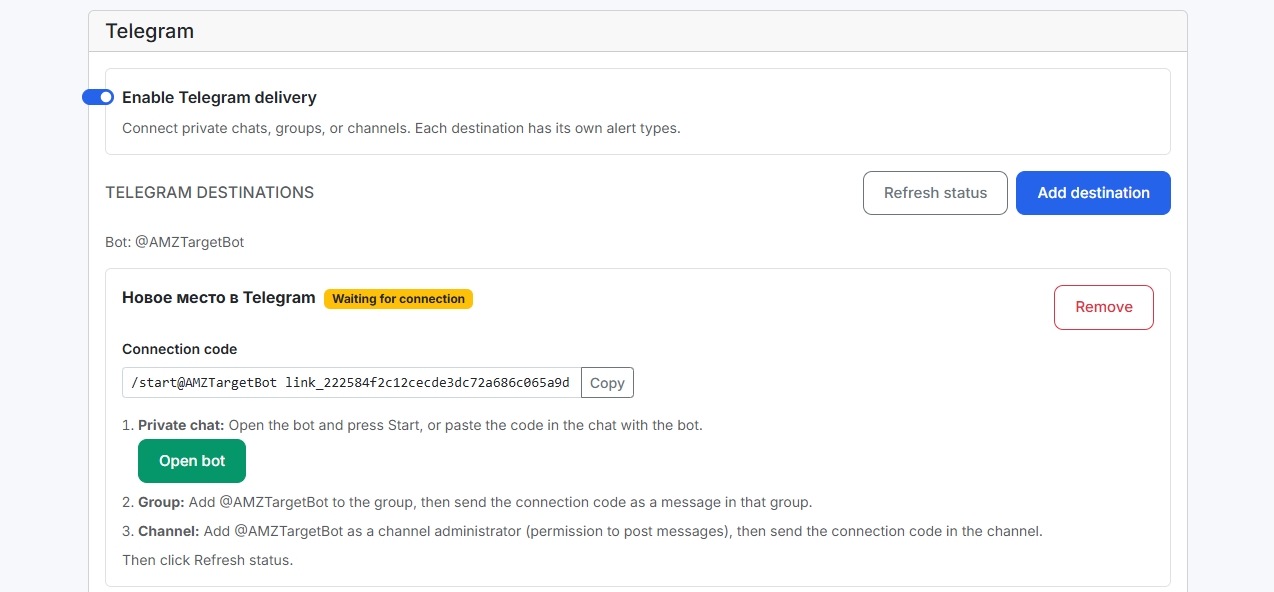
This is what AMZTarget's Buy Box and hijacker alerts are built for. You add an ASIN and your Merchant ID. AMZTarget saves a baseline of sellers, prices, Buy Box owner and content, then compares every scheduled check against it. When something changes, it sends an alert to Telegram (a DM, a team group or a channel) or email. It works from public product pages, so no Seller Central access is needed. That also means an agency or a VA can watch a client's ASINs without sharing logins.
How quickly you hear about a change depends on how often the listing is checked. AMZTarget checks run 1×/day on Free (12×/day for the first 14 days), up to 6×/day on Starter ($19/mo), 12×/day on Growth ($49/mo) and 24×/day on Pro ($99/mo). An alert is sent when the check that detects the change completes.
Two practical tips:
- Route by urgency. Send Buy Box and new-seller alerts to the Telegram group where someone will act on them. Send content and review updates to email. AMZTarget lets you assign each of its 15 event types to specific chats or inboxes, with separate rules for your top ASINs.
- Keep a change log. When you open a case about an edited title or image, the before and after values are your evidence. The listing change monitor keeps that history for every tracked field.
If you also want to see who is undercutting a competitor's ASIN, or whether a competitor's seller count is growing, use competitor tracking for that.
Hijacker response checklist (save this)
- Screenshot the product page and offer list with a timestamp.
- Record the seller name, ID, price, condition and fulfilment method.
- Check the seller against your authorised reseller list.
- If you suspect counterfeit or a different product, do a test buy and document it.
- Report through Brand Registry's Report a Violation (or the Report Infringement form).
- Restore any edited content and open a case with before/after values.
- Decide on price with a floor. Don't chase the hijacker down.
- Keep monitoring the ASIN for repeat offers.
Try it on one listing
Pick the ASIN you'd least like to lose over a weekend and add it to AMZTarget's Buy Box alerts on the Free plan: 1 product, 5 keywords, Telegram and email alerts, no credit card. Set your Merchant ID, connect a Telegram chat, and turn on the Buy Box and New seller triggers.
FAQ
Does Amazon notify me when a new seller joins my listing?
Amazon doesn't send a standard notification when another seller adds an offer to your ASIN. Sellers usually notice from the offer list, a lost Featured Offer or falling sales, or they use a monitoring tool that checks the listing on a schedule.
Is every new seller on my listing a hijacker?
No. Many ASINs legitimately have several sellers, including authorised resellers, liquidators and FBA arbitrage sellers of genuine goods. Treat a new offer as a hijacker only when you have evidence of counterfeit units, a materially different product or IP misuse. A test buy is the usual way to get that evidence.
How do I report a hijacker on Amazon?
If your brand is enrolled in Brand Registry, use Report a Violation, which covers IP infringement and store policy violations in one flow. If you're a rights owner without Brand Registry, Amazon points to the Report Infringement form. Include screenshots, seller details and test-buy evidence.
Can I monitor my Buy Box without giving a tool access to Seller Central?
Yes. Tools that read public product pages, such as AMZTarget, can track the Buy Box owner, seller count, price, stock and content for any ASIN without Seller Central access. To detect whether you own the Buy Box, you add your Merchant ID. Seller Central (SP-API) access is only needed if you want automated repricing.
How often should I check my listing for hijackers?
It depends on how much a few hours of lost Buy Box costs you. For a top seller, several checks a day is reasonable, and more during big sale events. For long-tail ASINs, once a day may be enough. See our guide on how often to check Amazon keyword ranks for a similar risk-based way to choose a frequency.